 MyFileHub
Where duplicates come from
- Downloading something twice. The browser saves the second copy as
file (1).pdf. - Copying instead of moving. Dragging a folder to another drive or to a different folder on the same drive leaves the original behind.
- Phone and camera imports. Importing the same photos again creates a second set, often in a new folder with a date in its name.
- "Just in case" backups. A copy of Documents in Desktop, a copy of a project before editing it.
- Exports. Video editors and screen recorders that save another full copy each time you export.
Same name doesn't mean same file
Two files called IMG_1042.jpg can be completely different photos from two different phones, and Holiday.mp4 and Holiday (1).mp4 may or may not be identical. File names, and even sizes, aren't proof. The only reliable test is comparing what's inside the files.
Duplicate finders do this with a hash: a short fingerprint calculated from every byte of the file. Two files with the same hash have identical contents. Good tools compare sizes first (files of different sizes can't be identical), then hashes, so the check stays fast.
Finding obvious duplicates with File Explorer
Without extra software you can catch the most common kind:
- Open the folder to check, for example Downloads.
- In the search box, type (1) to find files saved a second time, or - Copy to find files duplicated with copy and paste.
- Switch to Details view and compare each result with the file of the same name: same size and same date usually means a copy, but open both to make sure.
This won't find copies with different names or in different folders, which is where most wasted space usually is. To round up every photo first, see how to find all the photos on your PC.
Rules for removing duplicates safely
- Keep the copy in its proper home. Keep the photo in Pictures and remove the one in Downloads or on the Desktop.
- Prefer the original name.
Report.docxis usually the original;Report (1).docxandReport - Copy.docxare usually the extras. - Never remove duplicates inside program folders or AppData. Apps keep identical files on purpose, and deleting them can break the app.
- Leave code projects alone. Folders with
.gitorpackage.jsoncontain copies that tools need. - Send them to the Recycle Bin, not straight to deletion, and empty it only once you're sure.
- Watch out for cloud-only files. Checking OneDrive files that are only in the cloud downloads them first, which can take hours and fill the drive you're trying to clear.
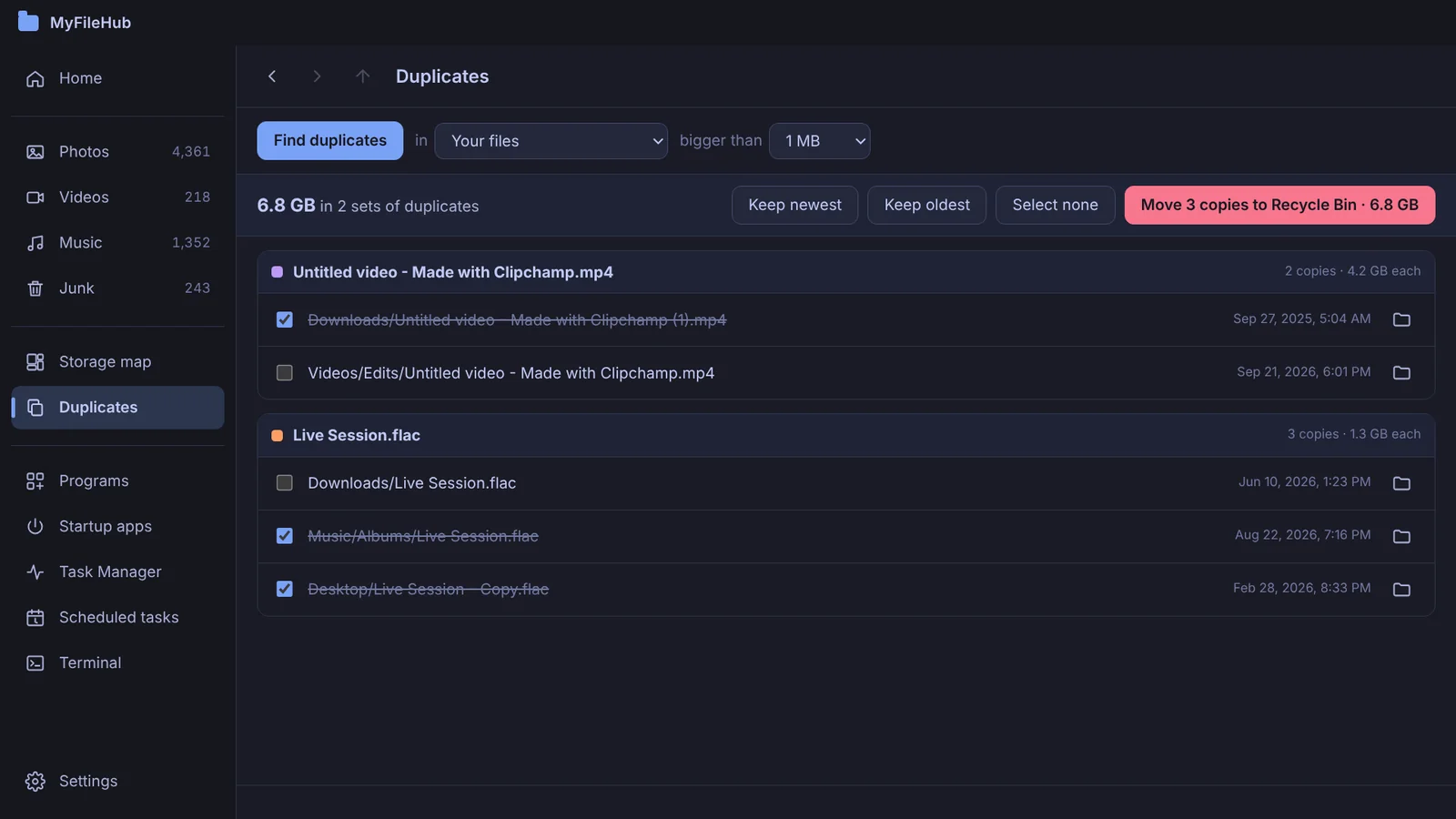
Let MyFileHub follow these rules for you
It compares contents, keeps the original, always leaves one copy, skips app data and cloud-only files, and sends extras to the Recycle Bin.
How much space will I get back?
It depends on what you keep. Photo and video libraries are where duplicates cost the most, because each copy can be hundreds of megabytes or more. A duplicate finder shows the total before you remove anything, so you can decide whether it's worth it.